


DubStep Music & Beat Creator
4.71.01K Reviews
App Specs
- Version
- 4.1.3
- Updated On
- License
- Free
- Downloads
- 10,000,000+
- Developer
- Beat Blend Labs
- Categories
- Music & Audio
- Platform
- Android
Screenshots
 Analysis by AppCompare
I find DubStep Music & Beat Creator most appealing when I treat it as a quick way to play with rhythm, not as a shortcut to becoming a professional producer. It is a free music-making app from Beat Blend Labs, and its beatpad approach is easy to understand: tap sounds, try combinations, and see what starts to work together. The appeal is immediate, especially if you want a low-pressure creative break rather than a deep lesson in audio engineering.
That distinction matters before you install it. A beatpad is a different kind of music tool from a full multitrack workstation: it encourages spontaneous combinations and hands-on experimentation, while a traditional production app is usually better when you need detailed control over arrangement and editing. I’d choose this one for sketching an idea or having fun with a dubstep-flavoured sound, then look elsewhere if the goal is a polished, carefully structured release.
Where the app stands today
As a Music & Audio app, it has a clear, approachable premise, and its Everyone age rating makes it accessible to a broad audience. It has reached over 10 million installs and holds a 4.8 average from around 30,000 ratings. Those figures suggest that its simple, playful format has found an audience, though popularity alone can’t tell you whether the workflow suits your own musical habits.
The app is free to start, with in-app purchases ranging from $0.99 to $99.99 per item. I’d recommend exploring the basic experience before spending anything. A beginner may find that casual beat-making is all they need, while someone who spends a lot of time creating may want to decide first whether the available sounds and workflow justify any optional purchases.
What the release history tells me
The app was released on June 2, 2020, and its current version is 4.1.3. That gives it a longer history than a brand-new experiment, but a version number by itself doesn’t reveal which parts have changed or how individual updates affect the experience. I wouldn’t assume that a particular feature is new just because it appears in the current build.
For an existing user, the most practical reason to notice the current version is compatibility: it requires Android 6.0 or later. If you already have a setup that works, a new version is worth judging by how it behaves on your device and whether your saved creative habits still feel comfortable, rather than by expecting a completely different app. Beat Blend Labs is the developer behind it, and the current build is the sensible place for a new user to begin.
How to get more from a beatpad session
I get better results when I start with a small goal instead of tapping every sound at once. Try building a short rhythm around one main pulse, then add only a contrasting sound or two. That gives your ears something consistent to follow and makes it easier to notice which combination feels energetic, muddy, or simply too busy. It’s also a useful way to learn the pad layout without turning the first session into guesswork.
Worth Reading Before You Choose

Flipboard Shows What News Apps Must Do Beyond the Feed

Switching to Android Auto Means Rethinking Your Driving Routine

Google Calendar Makes a Crowded Week Easier to Manage

Ludo King Makes the Most of the Minutes Between Plans

Baby Panda World Brings Quick Play to Modern Phones, but Its Game Library Feels Busy

ESPN’s Live Game View Makes Following Close Games Easier
Another helpful habit is to record an idea as soon as it feels promising, even if it is rough. A live performance can capture the timing and spontaneous changes that are hard to recreate from memory. I’d treat that recording as a sketch rather than a finished track: listen back, decide what is worth keeping, and make a fresh pass with a clearer plan. That small separation between experimenting and refining makes the process less frustrating.
Who should choose something else
This is a good fit for curious beginners, casual creators, and anyone who wants to play with beat-making without first learning a complicated production interface. It can also be a fun shared activity: one person chooses a starting sound, another adds a contrasting layer, and you take turns shaping a quick idea. For a more serious project, though, the simplicity that makes a beatpad inviting can become a limit. If you need precise arrangement, detailed editing, or a dependable workflow for finishing complete songs, a dedicated digital audio workstation is likely the better tool.
I’d also be cautious if you are choosing an app mainly for a broad range of musical styles. Its identity is tied to dubstep-style beat creation, so it may not be the best match for someone whose priority is acoustic recording, songwriting with lyrics, or a very different genre. The useful question is not whether it can replace every music app, but whether its particular way of making beats fits the kind of ideas you want to explore.
Getting Started with Your Beat Journey
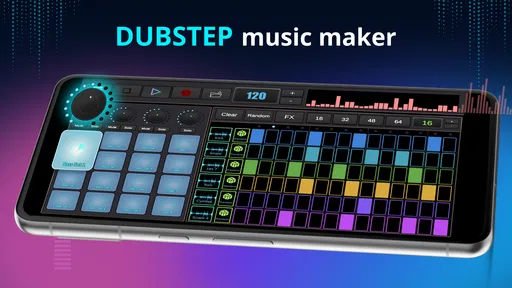
First things first, downloading DubStep Music & Beat Creator is a breeze. It’s available on both Android and iOS, so no one’s left out of the fun. Once you’ve got it installed, you’re greeted with a pretty sleek and user-friendly interface that doesn’t intimidate you right off the bat. Trust me, even if you’re new to this, you won’t feel lost.
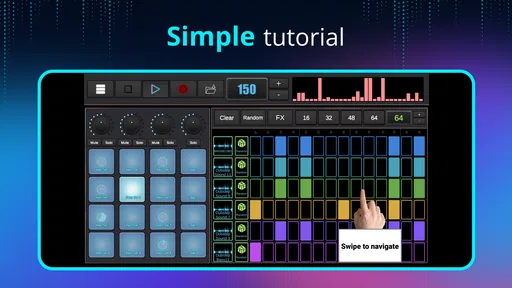
The app kicks off with a quick tutorial that breaks down the basics. You’ll learn how to navigate the tools, use the sound pads, and get a feel for layering beats. It’s like being handed the keys to a musical kingdom without any overwhelming tech jargon. I was tapping away within minutes.
Features That Make You Want to Groove
What’s a music app without some killer features, right? This app sure doesn’t disappoint. You’ve got a range of sound packs to choose from, each packed with unique loops and samples. Whether you’re into heavy bass or mellow vibes, there’s something for you here. And guess what? New packs are added regularly, so there’s always fresh content to explore.
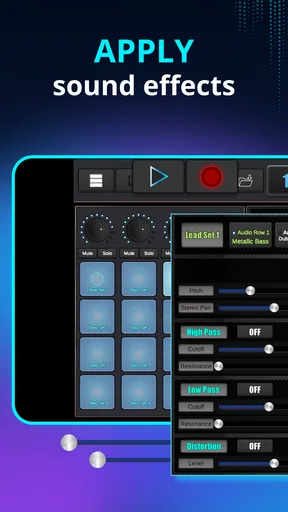
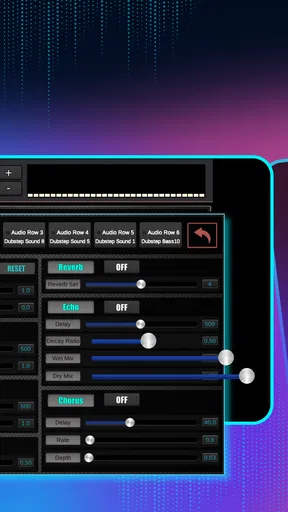
One feature I found particularly cool is the real-time sound effects. You can tweak your track on the go, adding filters and effects with a simple swipe. It’s like having a mini DJ console right in your pocket. Plus, the app supports high-quality audio export, so you can share your masterpieces without losing any of that crisp sound.
Creating Your Masterpiece
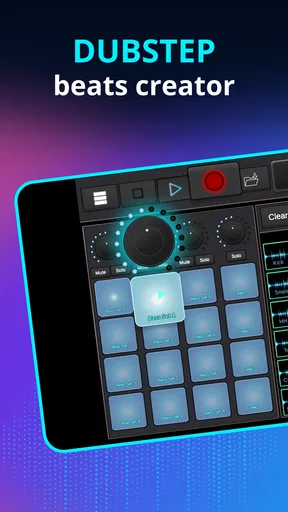
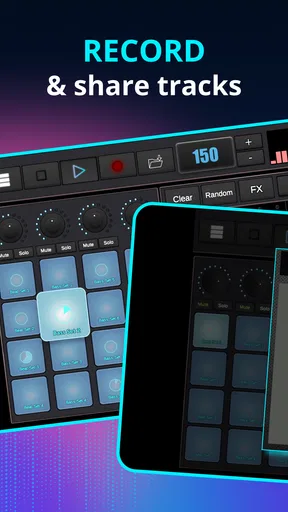
Now, onto the fun part—creating your tracks. The sound pads are incredibly responsive, and layering sounds is as simple as drag and drop. You can record your sessions live, which, let me tell you, feels pretty awesome. I found myself lost in a creative trance, experimenting with different sounds and rhythms.
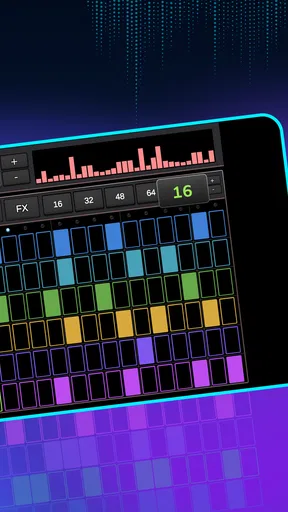
What really stands out is the app’s flexibility. Whether you want to create a chill background score or an intense dubstep anthem, the possibilities are endless. You can adjust the tempo, mix tracks, and even cut and edit samples to fit your style. It’s like having a full-fledged studio on your mobile device.
Sharing Your Beats with the World
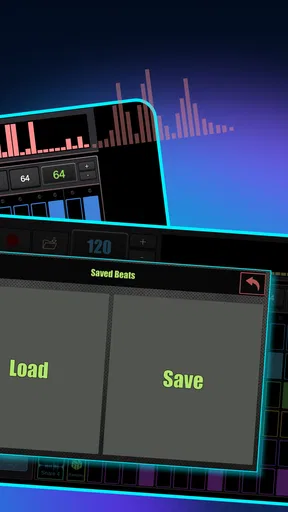
Once you’ve crafted your masterpiece, sharing it is straightforward. The app allows you to export your tracks to various platforms or save them directly to your device. Whether you’re looking to impress your friends or share with a wider audience, it’s all just a tap away. I uploaded my first track to social media, and the feedback was surprisingly positive!
For a more useful sharing routine, I’d listen to the saved file once before posting it. A quick check with headphones can reveal a layer that is too loud or a transition that felt better while performing than it does on playback. If you’re sending a draft to a friend, say what kind of feedback you want—such as whether the groove feels steady—rather than asking them to judge the whole track. That keeps the creative process encouraging and gives you something specific to improve.
The Verdict
All in all, DubStep Music & Beat Creator is an absolute gem for anyone looking to dive into music production. It combines ease of use with powerful features, making it perfect for both beginners and seasoned creators. The regular updates and new sound packs keep it fresh, ensuring you never run out of inspiration.
If you’re an aspiring DJ, or just someone who loves to play around with sounds, give this app a go. It’s a fun, addictive way to create and share music. Who knows? You might just discover a hidden talent for beat-making. So go on, download it, and start dropping those beats!
A realistic way to fit it into your day
For me, the most believable everyday use is a short session between other tasks, not an evening spent trying to produce a complete song. Imagine having a few minutes while waiting for a ride: choose a sound that sets the mood, tap out a simple pulse, and test one extra layer. If an idea catches your ear, record it and come back later with fresh attention. If it doesn’t, you have still spent a few minutes making something rather than scrolling passively.
That quick-session approach also helps keep expectations in check. A beatpad rewards trying sounds and reacting in the moment; it is less suited to a workflow that depends on meticulously naming every part, arranging a long composition, and revisiting many fine edits. I’d use it as a portable idea starter, then move a promising concept into a more specialised tool if it grows beyond a compact beat.
Questions worth settling before you commit
If you’re wondering whether you need music experience, I don’t think you do. The pad-based interaction and introductory walkthrough make experimentation approachable, and you can learn by listening to how layers work together. A little patience still helps: instead of expecting the first combination to sound finished, treat early attempts as practice in timing and contrast.
If you’re asking whether it costs money to try, the app is free to download, but optional in-app purchases are available. Since individual items span a wide price range, I’d avoid buying anything until you know what you actually want from the experience. If the basic beat-making loop already gives you enough room to play, there may be no reason to spend; if you are tempted by an item, check its details in the app before purchasing.
People also often want to know whether a beat can be kept or shared. The app’s export and save options make that part of the process practical, so you can listen outside the creation session or pass a result along. I would still keep a copy of anything important in a place you control and check the exported audio before treating it as a final version. That is a sensible habit for any creative app, especially when an idea matters to you.
Finally, if your phone is older, check the operating-system requirement before installing: the Android version needs 6.0 or later. If your device meets that requirement but the app doesn’t feel comfortable in use, that is a good reason to choose a different music-making option rather than forcing your workflow around it. A tool should make it easier to start creating, not turn each session into troubleshooting.
What I’d watch as a returning user
Because version 4.1.3 is the current release, I’d pay attention to how the app works on my own device and whether its sound-pad workflow still suits the way I want to make music. A version label is useful context, but not a promise that a particular change has landed. For existing users, the better test is practical: can you still get from a quick idea to a recording and export without unwanted friction?
I’d also keep an eye on the balance between the sounds available to explore and the simplicity that makes the app inviting. More choices can spark ideas, but a large collection is not automatically helpful if it makes it harder to settle on a direction. My preferred approach would be to pick a small set for one session and see what I can make with those, rather than treating every sound as something that must be tested.
My overall recommendation is straightforward: try it if you want an accessible, hands-on way to sketch dubstep-inspired beats and enjoy experimenting with sound. Keep your expectations modest if you need precise, long-form production, and compare it with a full music workstation before making it the centre of a serious project. That is where this app makes the most sense to me: a playful starting point that can turn a spare moment into a musical idea, without pretending that every idea is already a finished track.
Pros
- User-friendly interface for beginners.
- Wide range of sound effects available.
- High-quality audio output.
- Real-time beat editing feature.
- Compatible with external MIDI devices.
Cons
- Limited free version features.
- Occasional app crashes reported.
- Requires internet for full functionality.
- Ads can be intrusive at times.
- No option for cloud storage of projects.
FAQs for DubStep Music & Beat Creator
What features does DubStep Music & Beat Creator offer for beginners?
DubStep Music & Beat Creator is designed with beginners in mind, offering an intuitive interface and easy-to-use controls. It includes pre-loaded loops, sound packs, and a step-by-step tutorial to help new users create their first tracks. Whether you’re starting from scratch or remixing existing sounds, the app makes it easy to dive into music production.
Is DubStep Music & Beat Creator compatible with both Android and iOS devices?
Yes, DubStep Music & Beat Creator is available for both Android and iOS platforms. It is optimized to run smoothly on a wide range of devices, ensuring that users can enjoy a seamless music creation experience regardless of their device choice. Check the device requirements on the download page to ensure compatibility.
Does the app allow exporting music tracks, and in what formats?
DubStep Music & Beat Creator allows users to export their finished tracks in multiple formats, including MP3 and WAV. This flexibility ensures that you can easily share your creations or use them in other projects. The export feature is straightforward, enabling you to quickly save your work and distribute it across different platforms.
Are there options for in-app purchases or subscriptions?
Yes, the app offers various in-app purchases, such as additional sound packs and premium features. Users can also subscribe to a monthly or yearly plan to unlock exclusive content and remove ads. These options allow for a more customized experience, catering to both casual users and serious music producers alike.
How often does DubStep Music & Beat Creator receive updates or new features?
The development team behind DubStep Music & Beat Creator is committed to providing regular updates. These updates often include new sound packs, feature enhancements, and performance improvements. Users can expect a dynamic and evolving app experience, with new content and capabilities being added frequently to keep the creative process fresh and exciting.


